

Controls
PC, Web, and VR interaction shortcut bindings
VR Controller Guide
04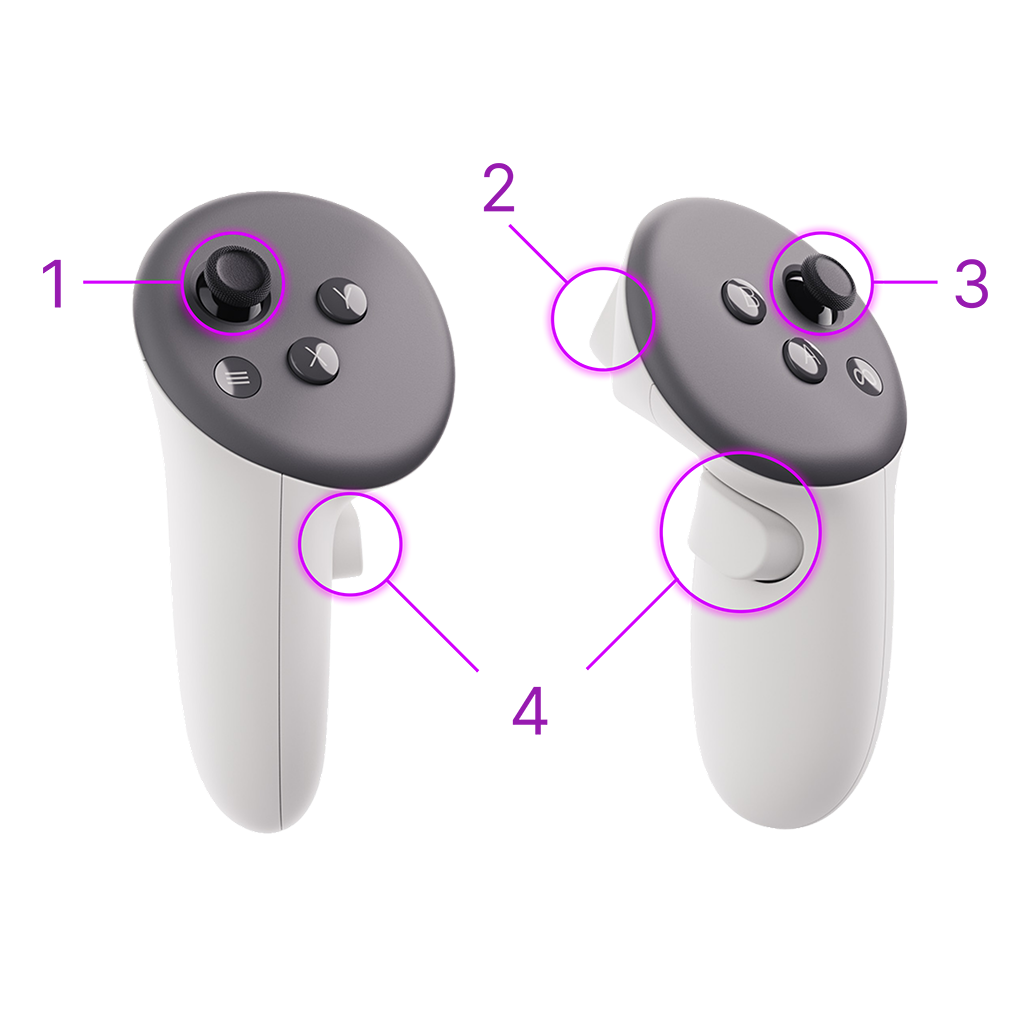
-
Thumbstick (Left)
Used to move the character and control the viewing angle. Can be moved forward, backward, left, and right.
-
Top Buttons
Action buttons (A, B, X, Y) - Used for menu, interact, and other commands.
-
Thumbstick (Right)
Used to control the camera, change viewing direction, and make fine adjustments.
-
Trigger and Grip Buttons
Trigger - Pick up and throw objects. Grip - Used for holding and manipulation.
PC Controller Guide
06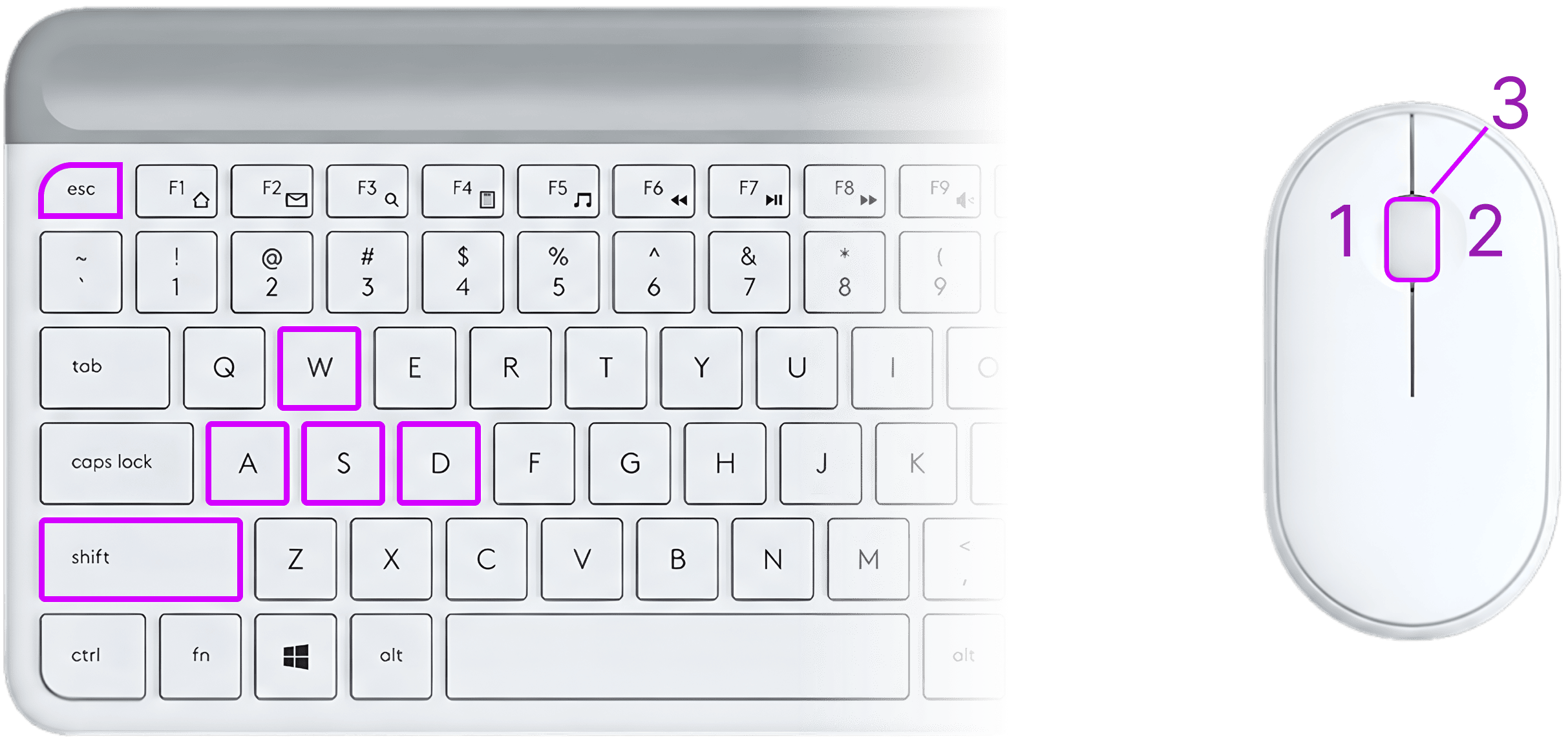
-
Movement
Use the W, A, S, D keys on your keyboard to move your character in different directions.
WASD -
Sprinting
Hold the Shift key while moving with W to run and navigate the world faster.
ShiftW -
Teleportation
Hold Shift and Left Click (Mouse 1) to instantly teleport to your target location.
Shift -
Select & Move
Use Left Click (Mouse 1) to select objects, and hold it to drag or move them.
-
Zoom Control
Use the Scroll Wheel (Mouse 3) to zoom in for a closer look or zoom out for a wider view.
-
Back & Exit
Use the ESC key to exit full-screen mode or close active menus and windows.
Esc